Purchase on Fab
Go to fab.com, find Sicka Yazd Exterior by Campass Studios, click Add to My Library. Then open Epic Games Launcher → Library → Fab Library.
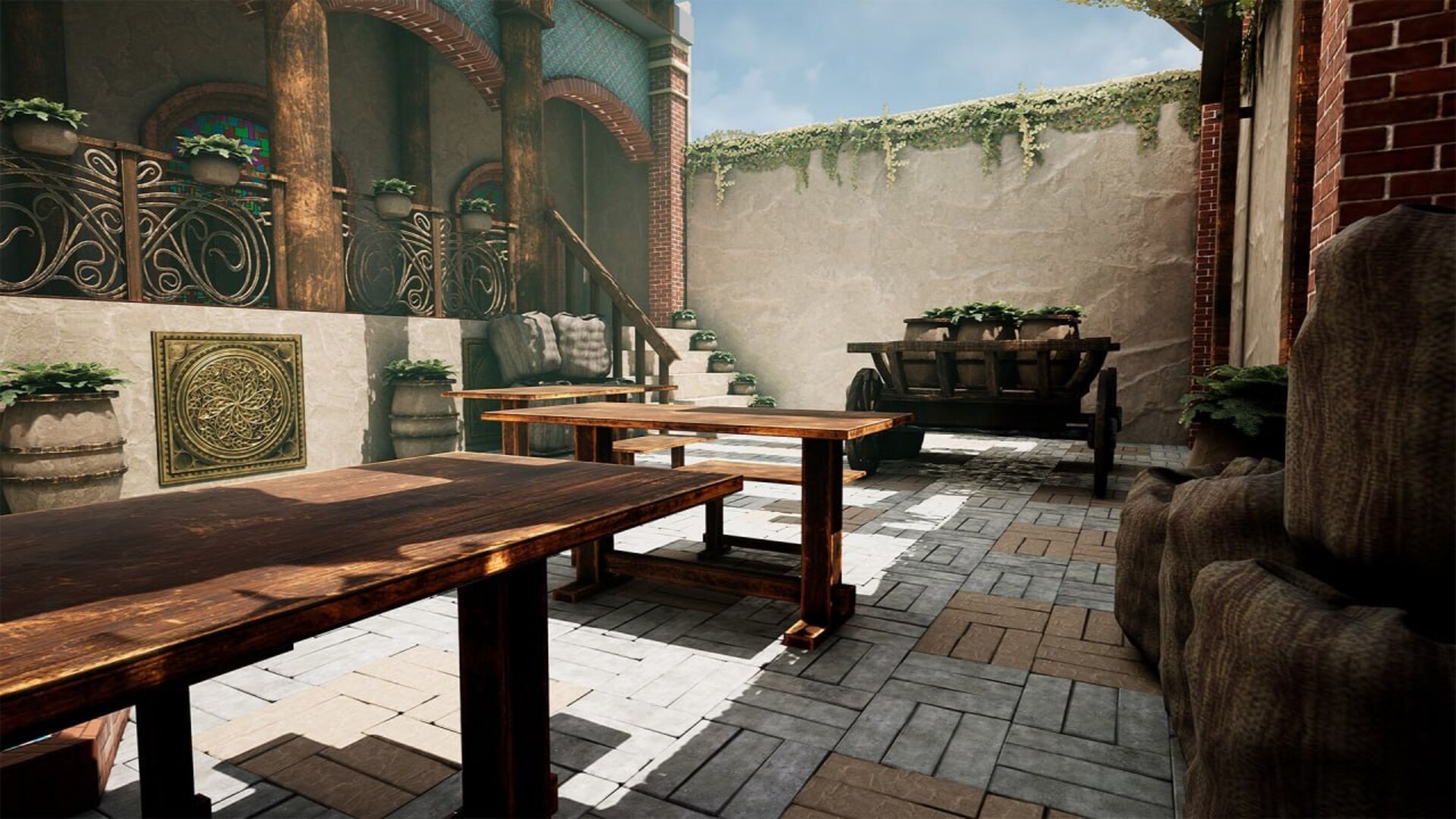
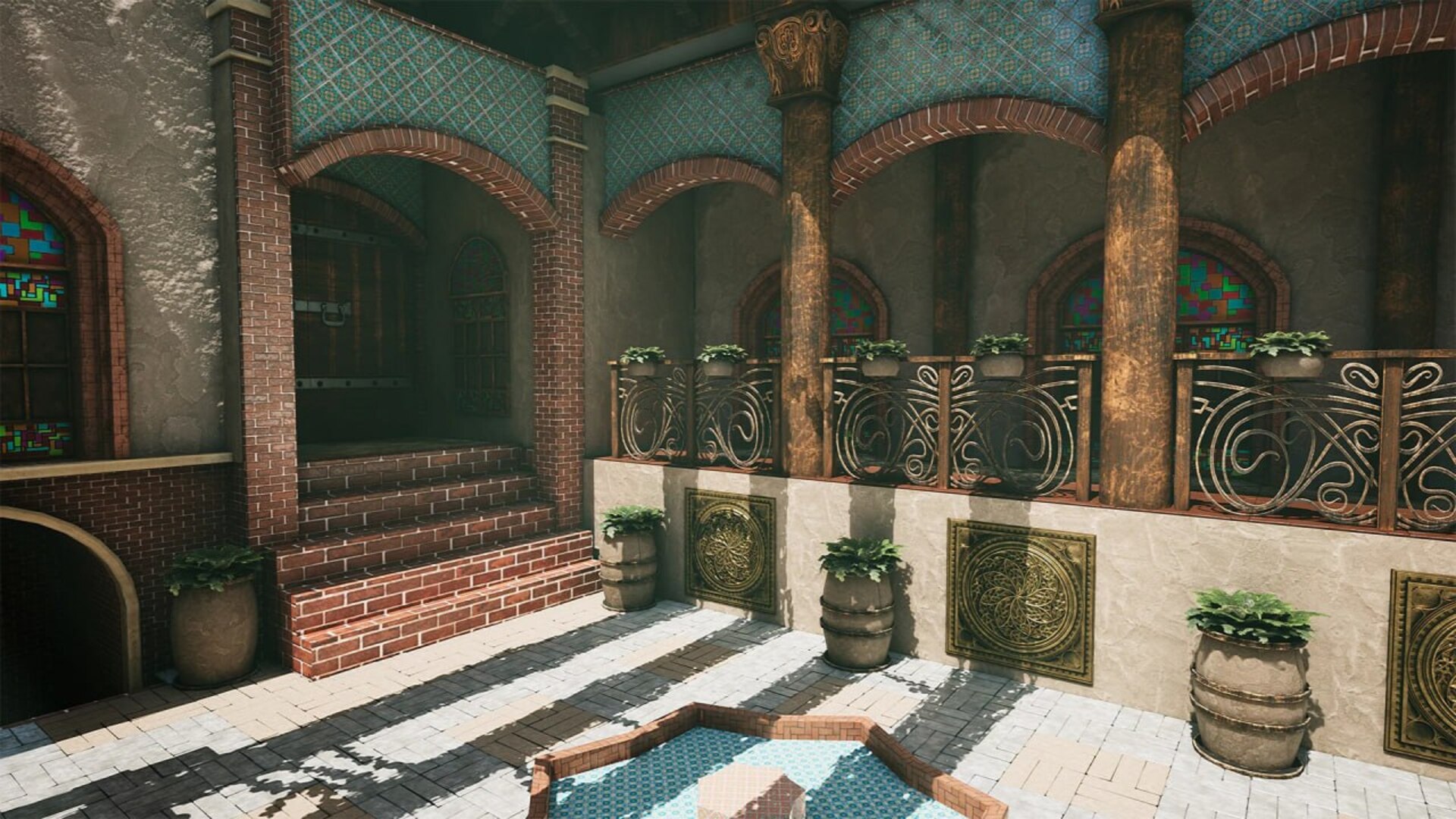
A richly detailed Persian-inspired courtyard environment — handcrafted for game developers, cinematic artists, and world builders.
About this Pack
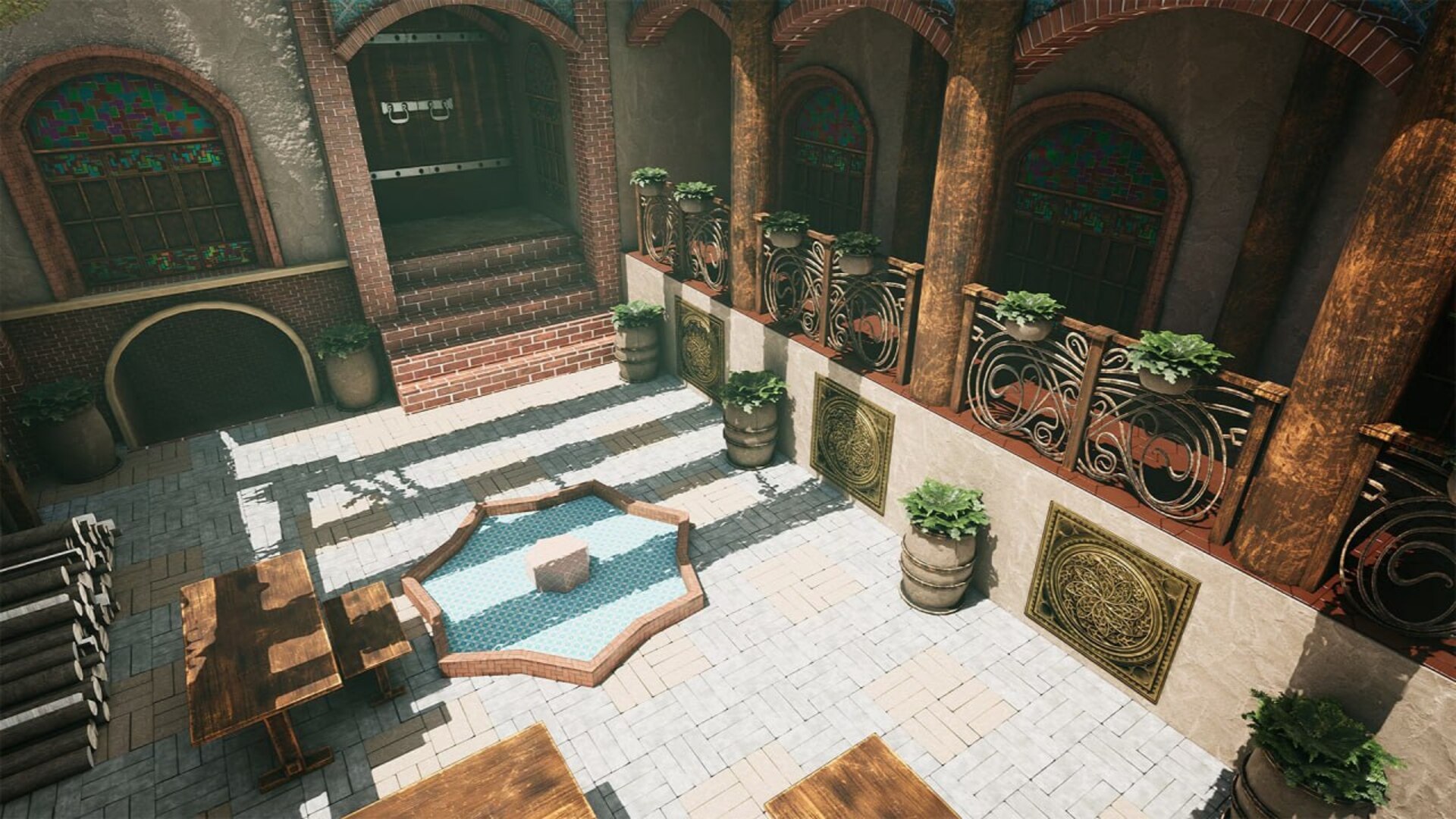
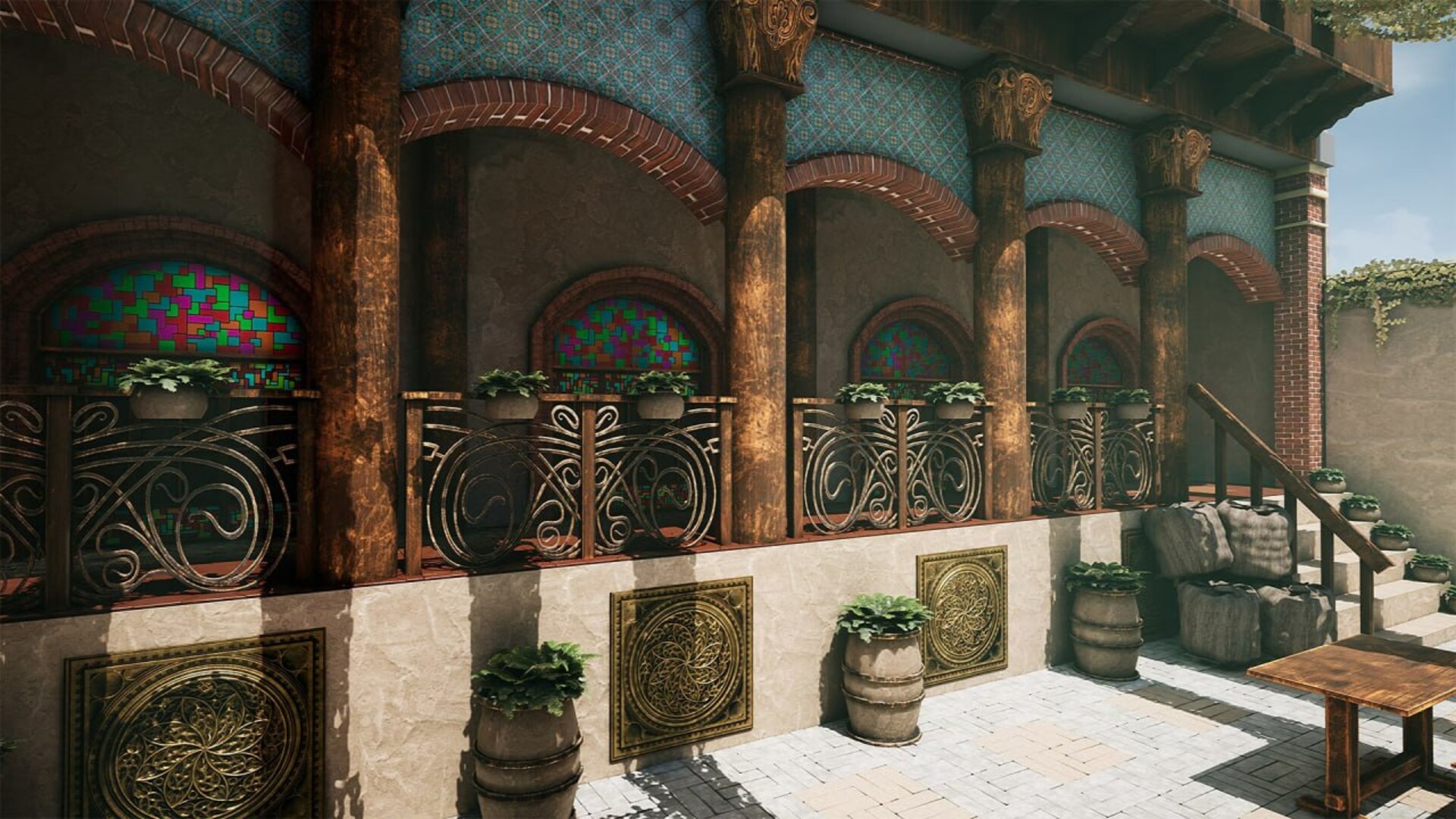
Sicka Yazd Exterior is a game-ready environment pack inspired by the real architecture of Yazd, Iran — one of the world's oldest continuously inhabited cities. Every brick, arch, and ornamental detail has been handcrafted to bring authentic Persian and Mediterranean style into Unreal Engine.
Drop the fully dressed demo level directly into your project, or use the modular assets to build your own layout. Designed for RPGs, open-world games, and cinematic renders.
Asset Gallery
Technical Specifications
Campass Studios on Fab
Available now on Fab — Epic Games' official marketplace for game creators worldwide.
Complete asset pack guide — Unreal Engine 4.20 and above
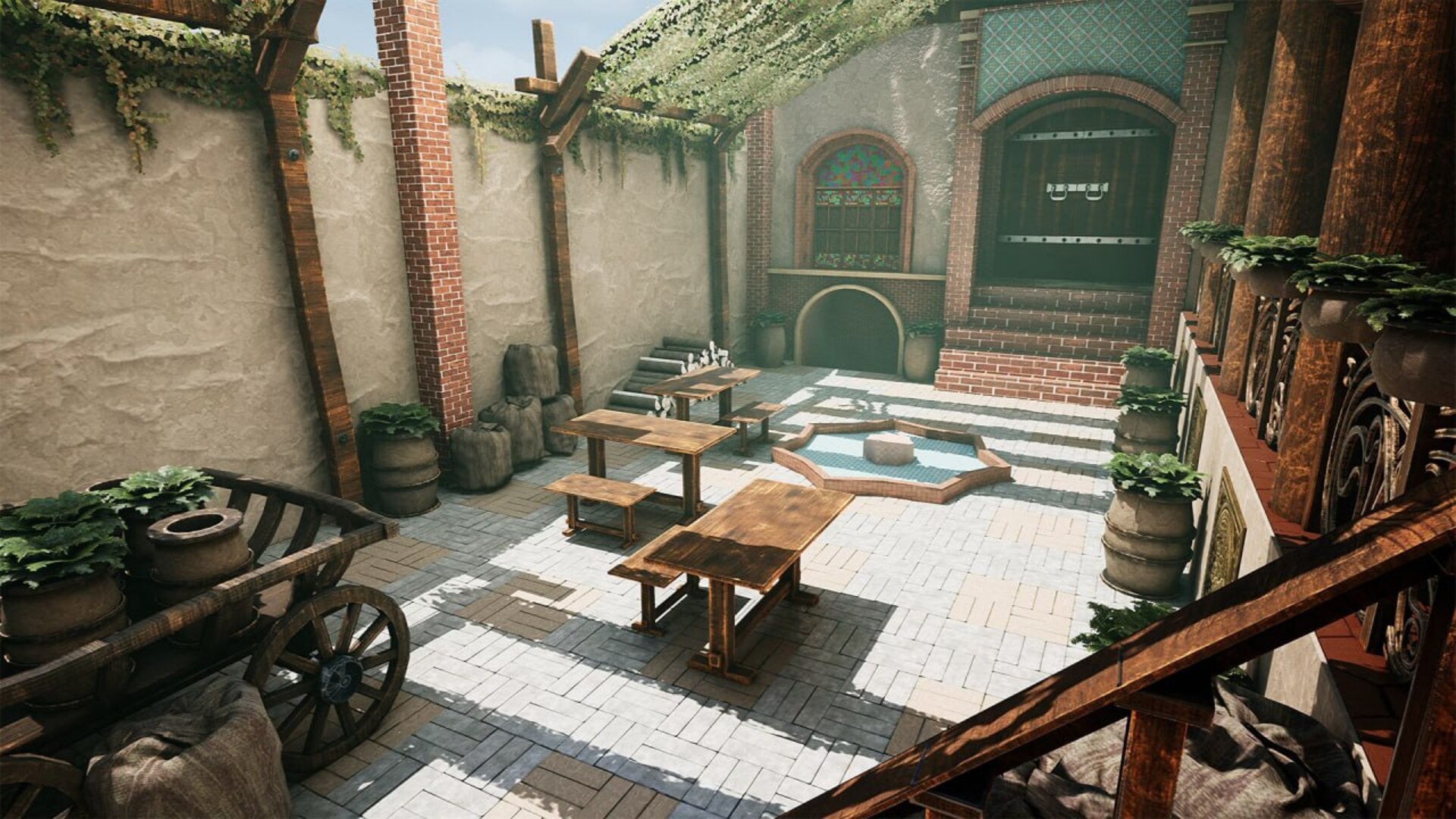
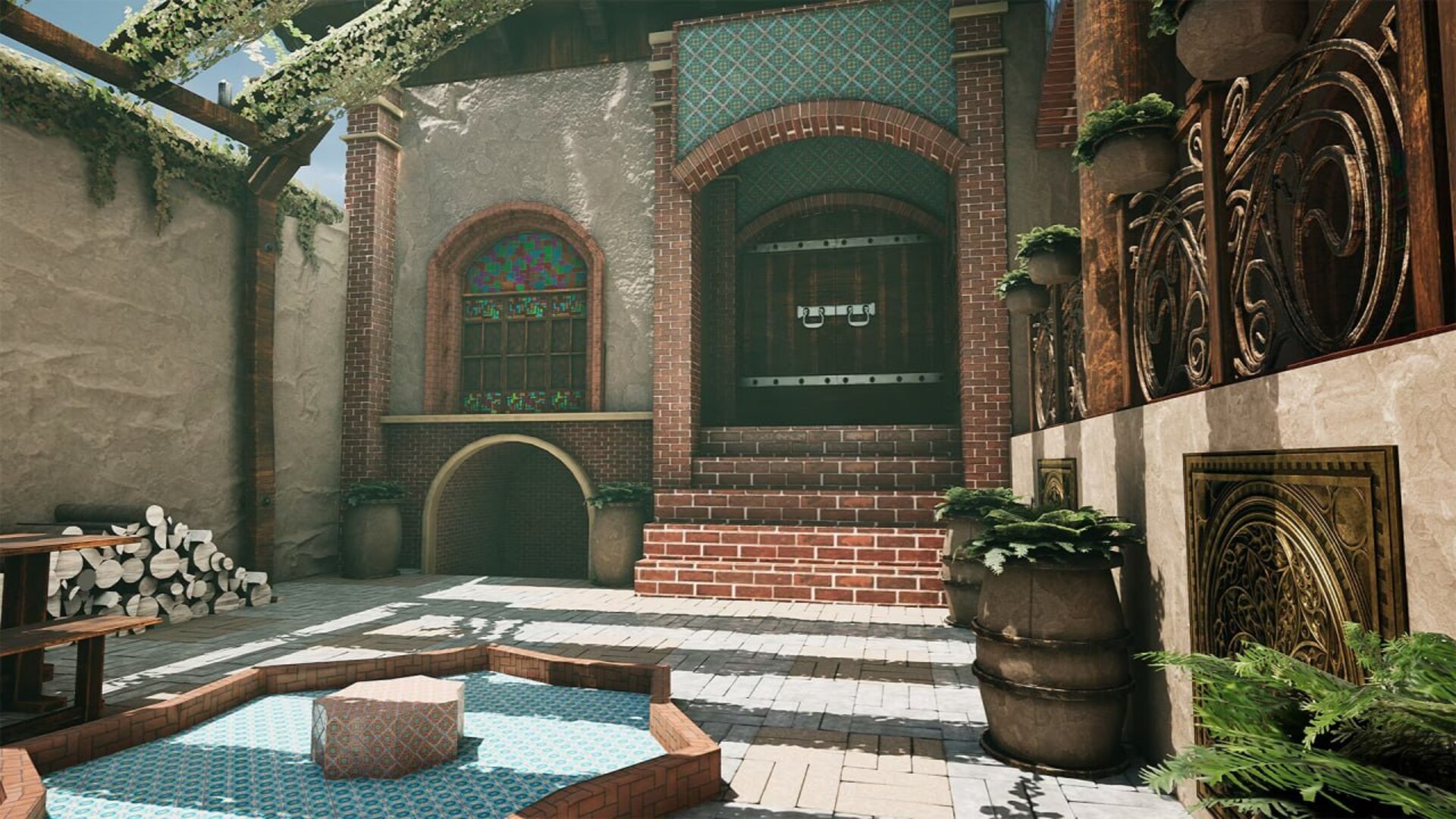
Sicka Yazd Exterior is a game-ready environment pack built in Unreal Engine, inspired by the real architecture of Yazd, Iran. The pack delivers a fully dressed, sunlit open-air courtyard with authentic Persian and Mediterranean architectural details — handcrafted brick arches, ornate iron railings, mosaic tiles, stained glass windows, and a central fountain.
This is a Blueprint-only project. No C++ required. Includes a fully built demo level ready to render or use as a game environment.
Use Unreal Engine 5.0 or above for best Lumen and Nanite results. Compatible with UE 4.20, 4.22, 4.26, 4.27 as well (without Lumen/Nanite).
| Asset Type | Description | Count |
|---|---|---|
| Architecture Meshes | Arched columns, brick walls, stairways, hallways, roof sections | 15+ |
| Iron Railing Meshes | Ornate scroll-work fence sections and terrace railings | 4 |
| Window Meshes | Stained glass arch windows, frames, window walls | 5 |
| Prop Meshes | Wooden tables, carts, barrels, sacks, wood pile, leather hides | 10+ |
| Foliage Meshes | Ivy packs, flower ivy, foliage base, hanging vines | 10+ |
| Fountain + Floor Tiles | Octagonal fountain, hex tiles, basket-weave tiles | 3 |
| Decorative Pieces | Gold medallion wall panels, column capitals, decor blocks | 5+ |
| Materials | PBR masters for brick, clay, tile, wood, iron, stone | 41 |
| Material Instances | Customizable material variations | 30+ |
| Textures | Base Color, Normal, ORM maps up to 4K | 80 |
| Demo Level | Fully dressed courtyard scene with daylight lighting | 1 |
| Property | Value |
|---|---|
| Number of Unique Meshes | 50+ |
| Vertex Count Range | 500 – 85,000 per mesh |
| Collision | Yes — automatic + custom on key meshes |
| LODs | Yes — 3 levels (LOD0, LOD1, LOD2) |
| Rigged | No |
| Animated | No — static meshes only |
| Number of Materials | 41 |
| Number of Material Instances | 30+ |
| Number of Textures | 80 |
| Texture Resolutions | 512×512 up to 4096×4096 |
| Supported Engine Versions | UE 4.20, 4.22, 4.26, 4.27, 5.0, 5.1, 5.2, 5.3, 5.4 |
| Supported Platforms | Windows ✓ Mac ✓ |
| Project Type | Blueprint only — no C++ required |
The demo level Map_YazdScene is a fully lit, dressed courtyard scene — ready for renders or as a game-ready starting point.
Open the map → Press G to hide UI → Press Ctrl+Shift+F11 for high-res screenshot mode → Set multiplier to 4x for maximum quality.
Yes — compatible with UE 4.20, 4.22, 4.26, and 4.27. Lumen and Nanite are UE5-only features; in UE4 baked static lighting is used instead.
No. This is a 100% Blueprint project. No programming is required.
Yes. A standard Fab license allows commercial use. See fab.com for full licensing terms.
Yes. All meshes and materials are fully editable inside Unreal Engine.
For questions, issues, or feedback, contact us through the Fab seller page. We respond within 48 hours.
Contact on Fab ↗